Somewhere in every tennis club there's a spreadsheet. Maybe it lives on the admin's laptop. Maybe it's a shared Google Sheet with 47 tabs. It tracks who owes what for court bookings, lessons, and memberships. It gets updated when someone remembers. It doesn't match the booking calendar. And at the end of every month, someone spends hours cross-referencing it with the actual sessions that happened to figure out what to bill.
This is how most tennis clubs handle their finances in 2026. Not because they want to, but because their booking system and their billing system are two completely separate things - if the billing "system" even deserves that name.
The result is predictable: invoices go out late (or not at all), payments are tracked inconsistently, coaches don't know what they're owed, and the admin dreads month-end like a root canal.
The core problem with tennis club billing isn't that it's complicated. It's that the data needed to create an invoice already exists in the booking calendar - it's just not connected.
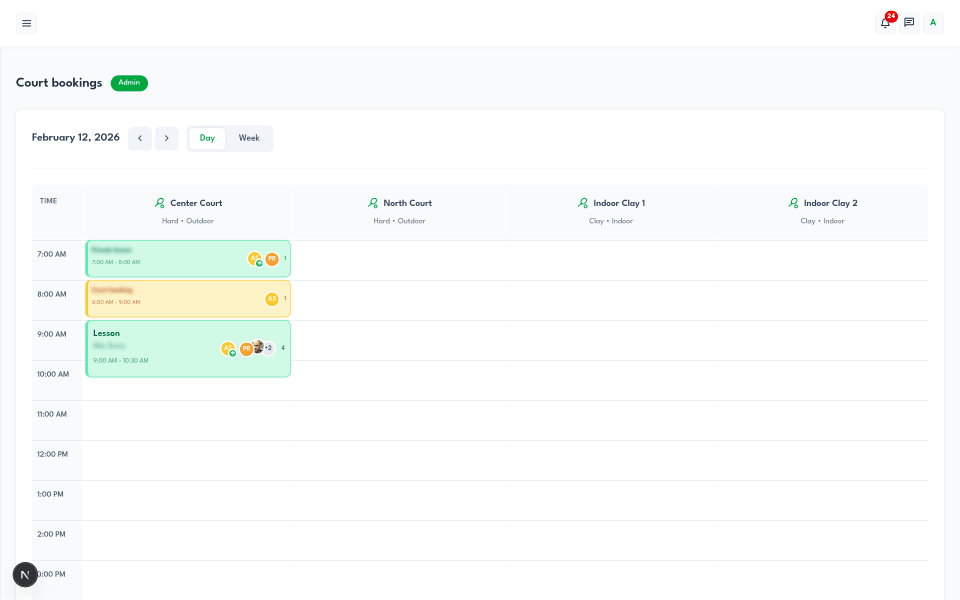
Every court booking has a player, a date, a duration, and (if you use service-based pricing) a price per participant. Every lesson has a coach, students, a service type, and a rate. The building blocks of an invoice are sitting right there. The only question is whether your system can turn them into a bill without someone re-entering everything by hand.
When billing is built into the same platform as bookings, the workflow becomes straightforward: select a member, pick a billing period, and the system pulls every session they participated in - court bookings, private lessons, group sessions - with dates, service names, and amounts already calculated. You preview it, adjust if needed, and generate a professional invoice. No spreadsheet. No cross-referencing. No forgotten sessions.
Let's walk through the real process, because the details matter.
The admin opens the invoicing dashboard and clicks "Generate invoice." They select a club member from a searchable dropdown and choose a billing period - typically the current month, though any date range works. The system automatically caps the end date to today so you never accidentally invoice sessions that haven't happened yet.
This is where the manual work disappears. The system queries every confirmed booking where that member participated during the selected period. It looks at two categories:
Lessons. Any coaching session where the member was a participant with a pending payment status. The system pulls the service type name, the date, and the per-participant price from the booking's pricing tier. If a player attended a group lesson at 30 per person and a private lesson at 60, both appear as separate line items with the correct amounts.
Court bookings. Any reservation where the member was the main player (the person responsible for payment) and the booking hasn't already been invoiced. The system pulls the total revenue from the booking - calculated from the service type's pricing tier at the time of booking.
Only bookings with service-based pricing are included. Simple time-tracking bookings (those without a service type attached) are excluded, which gives clubs flexibility: track some sessions for billing, others just for scheduling.
Each qualifying booking becomes a line item on the invoice with the date, service name, participant name, price, and total. The subtotal is calculated automatically.
Before anything is saved, the admin sees a full preview of the invoice - every line item, the subtotal, and the total. This is where they catch anything that looks wrong: a session that was cancelled but not marked properly, a price that needs adjustment, or a booking that shouldn't be billed.
Only when the admin confirms does the system create the invoice, assign it a unique number (formatted like INV-F254-2025-001), set a due date (typically 15 days out), and mark all the included bookings as invoiced. That last step is critical - it prevents the same sessions from appearing on next month's invoice.
A generated invoice contains everything a member needs to understand and pay their bill:
The invoice number, creation date, due date, and payment status. The billing period covered. The member's name and email. A line-by-line breakdown of every session - date, service type, participant, quantity, price per unit, and line total. A summary with subtotal, tax (reserved for future use), and the total amount due.
When exported as a PDF, the invoice includes the club's branding - logo, name, address, and contact information - making it look professional whether it's emailed to the member or printed for records.
Generating invoices is only half the job. Tracking who's paid, who hasn't, and who's overdue is where most clubs lose control.
When a member pays, the admin opens the invoice and records the payment: the amount received, the method used (cash, bank transfer, card, or other), and the date. The system supports partial payments - if a member pays half now and half next week, both payments are tracked against the same invoice.
When the total paid amount reaches the invoice total, the status automatically flips to "paid." The payment date is recorded, and the status syncs back to the individual bookings - so the admin can see at the booking level which participants have paid and which haven't.
Invoices that pass their due date without being paid are automatically flagged as overdue. No manual check required. The dashboard shows overdue invoices prominently so the admin can follow up before small amounts become big conversations.
The invoicing dashboard shows four key numbers at a glance: total invoices, pending, paid, and overdue. Below that, every invoice is listed with its number, customer name, billing period, amount, due date, and status - color-coded so pending (amber), paid (green), and overdue (red) are instantly recognizable.
Admins can filter by status, search by customer name or invoice number, and narrow results by date range. For a club with dozens of members and monthly billing, finding a specific invoice takes seconds rather than scrolling through a spreadsheet.
Billing isn't just about what members owe the club. For clubs that employ coaches, there's an equally important question: what does the club owe each coach?
Most clubs track coaching hours in yet another spreadsheet - or worse, rely on coaches to self-report their hours at the end of the month. Both approaches lead to disputes, delayed payments, and a general lack of trust that benefits nobody.
The process mirrors invoicing but in reverse. The admin selects a coach and a billing period. The system queries every confirmed lesson where that coach was the assigned instructor. For each lesson, it pulls the date, service type, duration (calculated from start and end times), and the coach's hourly rate.
That hourly rate is set per coach per club - so a coach who works at two different clubs can have different rates at each. The rate is locked into the report at generation time, so future rate changes don't retroactively alter past reports.
The result is a detailed report: each lesson with its date, service type, hours taught, hourly rate, and line total. At the bottom, the total hours and total earnings for the period. Like invoices, reports can be previewed before saving, exported as professional PDFs, and tracked through payment recording.
Coaches see their own reports in a dedicated "My payroll" dashboard. They can view every report generated for them, see the line-item detail of each lesson, track whether payment is pending or paid, and download PDF copies for their own records.
No more asking the admin "did I get paid for last month?" No more disagreements about hours. The data comes directly from the booking calendar - the same calendar where the lessons were scheduled and tracked. Both sides see the same numbers because they're looking at the same source.
For billing automation to work, the pricing structure needs to be set up first. This is the part clubs often skip - and then wonder why invoicing feels manual.
Clubs define service types for the different activities they offer: open play, court-only bookings, private lessons, semi-private sessions, group lessons, and so on. Each service type has pricing tiers based on participant count.
For example, a "Group tennis lesson" might have three tiers: 40 per person for 2 participants, 25 per person for 4 participants, and 15 per person for 8 participants. When a booking is created with that service type and 4 students, the system automatically applies the 25-per-person rate and calculates the total.
That calculated price is what appears on the invoice. It's also what's used to calculate the booking's total revenue for the club. And the coaching hours from that same booking feed into the coach's payroll report. One booking generates data for three different financial views - member billing, club revenue, and coach payroll - without any manual entry.
Not every club needs or wants detailed pricing from day one. Some just want to track court usage and schedule lessons without attaching prices to everything.
Clubs can create bookings in "simple mode" - time tracking only, no service type or pricing attached. These bookings work perfectly for scheduling but don't generate invoice line items. The club can run its booking calendar for months, get comfortable with the system, and add pricing and invoicing later when they're ready. No forced complexity.
This is the fundamental requirement. If your billing tool doesn't pull data from your booking calendar automatically, you're just replacing one spreadsheet with another. The entire point of integrated billing is that the sessions, prices, and participants are already in the system - the invoice should build itself from that data.
Members don't always pay in full on the day they receive an invoice. Some pay in installments. Some pay by bank transfer and it takes a few days to clear. Some pay cash at the club. Your billing system needs to handle partial payments, multiple payment methods, and the ability to track exactly how much has been paid against each invoice.
If your club employs coaches, billing software that only handles member invoices solves half the problem. Coach reports - tracking hours taught, applying hourly rates, and generating payable summaries - should work the same way invoices do, pulling data from the same booking system.
Invoices and coach reports need to look professional. Club branding (logo, name, address), clear line-item detail, payment status, and due dates should all appear on a clean, exportable PDF. Members and coaches keep these for their records. They reflect on your club.
At any given time, the admin should be able to see: how many invoices are out, how many are paid, how many are overdue, and the total amounts in each category. Overdue invoices should be flagged automatically based on due date - not discovered when someone remembers to check.
The best billing software doesn't force clubs to set up pricing for every service before they can use any other feature. You should be able to run bookings and member management without billing, add pricing to the services that need it, and start invoicing when you're ready. Each step should be optional and additive.
Here's what month-end looks like at a club using integrated billing.
The admin opens the invoicing dashboard. They generate invoices for each active member - the system pulls bookings automatically, so each invoice takes about 30 seconds: select member, confirm billing period, preview, generate. For a club with 40 billed members, that's about 20 minutes of work instead of a full afternoon.
Simultaneously, they generate coach reports for each instructor. Same process: select coach, confirm period, preview hours and rates, generate. Each coach gets a clear breakdown of what they're owed and why.
As payments come in over the next two weeks, the admin records them - amount, method, date. The dashboard shows the running status: 28 paid, 8 pending, 4 overdue. Follow up on the overdue ones. Done.
Compare that to the old process: export bookings to a spreadsheet, cross-reference with member lists, manually calculate amounts per person per session, create invoices in Word or Excel, track payments in another sheet, figure out coach hours from a mix of calendars and text messages. That's a full day of work - minimum - with errors baked in.
The data was always there. It just needed a system that could connect it.
Tennivo's billing tools are built into the same platform as court bookings, member management, and tournaments. Generate invoices from booking data with one click, track payments with full and partial support, export professional PDFs with your club branding, and manage coach payroll from hours automatically tracked in the booking calendar.
Invoicing and coach reports are included in the Free plan. Start using them today.
Claim or add your club on Tennivo | View plans and pricing
It's a system that generates invoices for members based on their court bookings and lessons, tracks payments, and manages coach payroll - all connected to the club's booking calendar so data flows automatically without manual re-entry. It replaces the spreadsheets, Word documents, and manual calculations most clubs use for billing.
Yes, if your billing system is integrated with your booking calendar. You select a member and a billing period, and the system pulls every qualifying session - court bookings, private lessons, group sessions - with dates, services, and prices already calculated. You preview and confirm before the invoice is created.
The system tracks coaching hours from the booking calendar - every lesson a coach teaches is recorded with duration, service type, and the coach's hourly rate. At the end of a billing period, the admin generates a report that summarizes hours taught and calculates total earnings. Coaches can view their own reports and download PDF copies.
No. You can run your booking calendar in simple mode - scheduling courts and lessons without attaching prices. This is great for clubs that want to get comfortable with digital bookings before adding financial tracking. When you're ready, you add service types with pricing tiers, and invoicing becomes available for those priced bookings.
Yes. When recording a payment, you enter the amount received. If it's less than the invoice total, the system tracks the remaining balance. Multiple partial payments can be recorded against the same invoice. The invoice automatically marks as "paid" when the total paid amount reaches the invoice total.
The system tracks payments made by cash, bank transfer, card, and other methods. Note that this is payment recording, not payment processing - you record payments that happen outside the platform (at the front desk, via bank transfer, etc.) and the system tracks the status. This approach works for clubs that aren't ready for online payment processing but still need organized financial records.

How modern tennis clubs manage the full membership lifecycle - from player signup and onboarding to roles, trusted status, and keeping members engaged long-term.

How modern tennis club booking systems actually work - from real-time calendars and overlap prevention to role-based permissions and recurring reservations.

An honest comparison of the best free and affordable tennis club management software in 2026 - what each platform does well, where it falls short, and which one fits your club.
Join hundreds of clubs using Tennivo to streamline operations and grow their community
Get started freeNo credit card required